Configure PowerStore SMB User
View on GitHubConfigure PowerStore SMB User
To configure PowerStore for SMB you will need to both enable SMB on the PowerStore and then setup a user. Start by going to the SMB panel under Storage -> SMB Server.
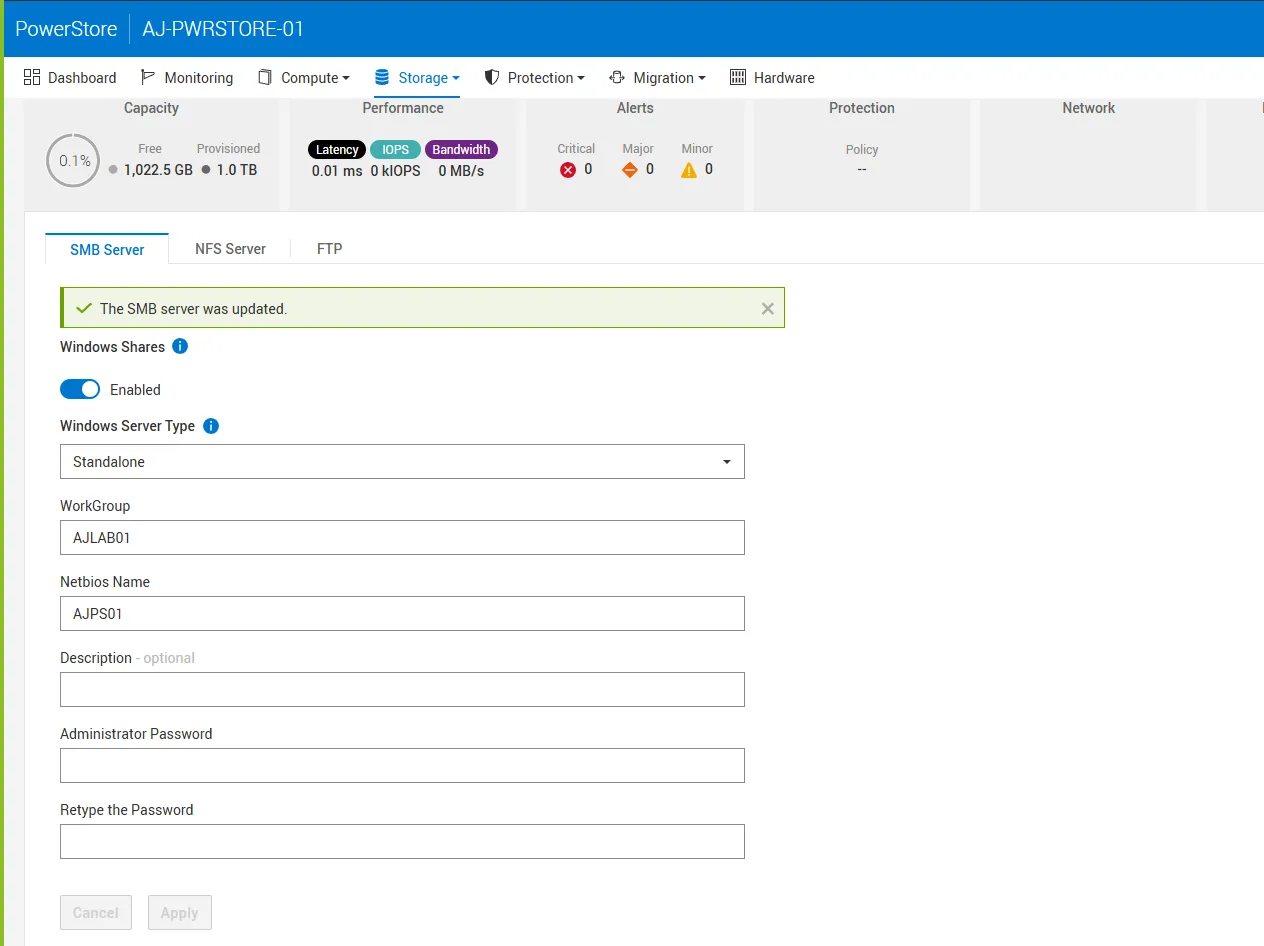
Go ahead and configure SMB if you haven’t already and then set an administrator password in the fields shown below. As described in this KB article you will need to then use the Microsoft MMC console to connect to the server and configure a Windows user. To do this, open up PowerShell as an administrator and run:
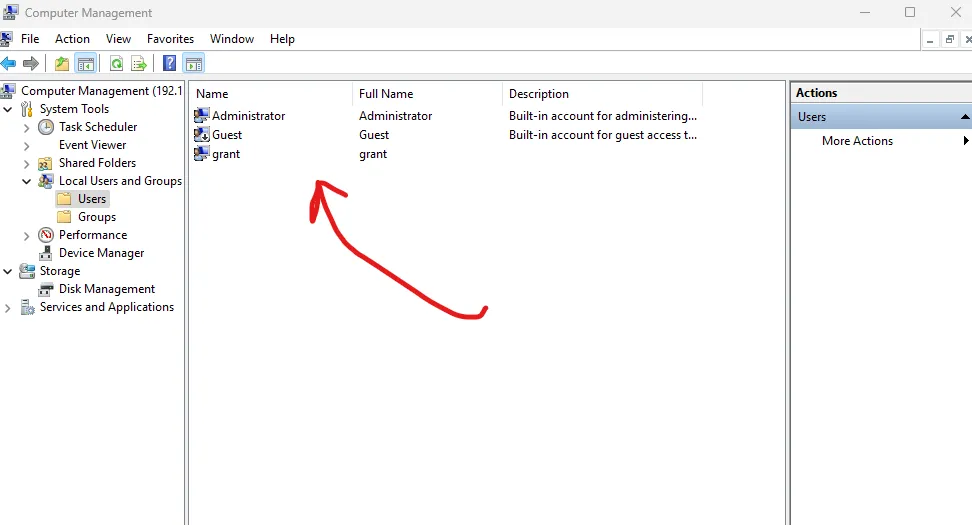
`runas /netonly /user:<SMB_SERVER_IP>\administrator "mmc compmgmt.msc -a /computer=<SMB_SERVER_IP>"`This will connect you to the MMC console after which you will need to navigate to Local Users and Groups -> Users. From there, create a new user.
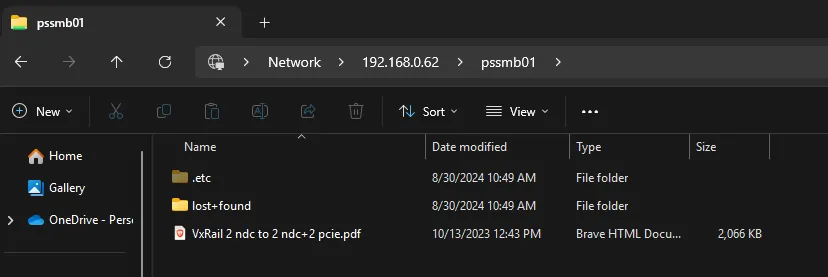
From there you can mount the share as normal.
Troubleshooting
Section titled “Troubleshooting”Mapping
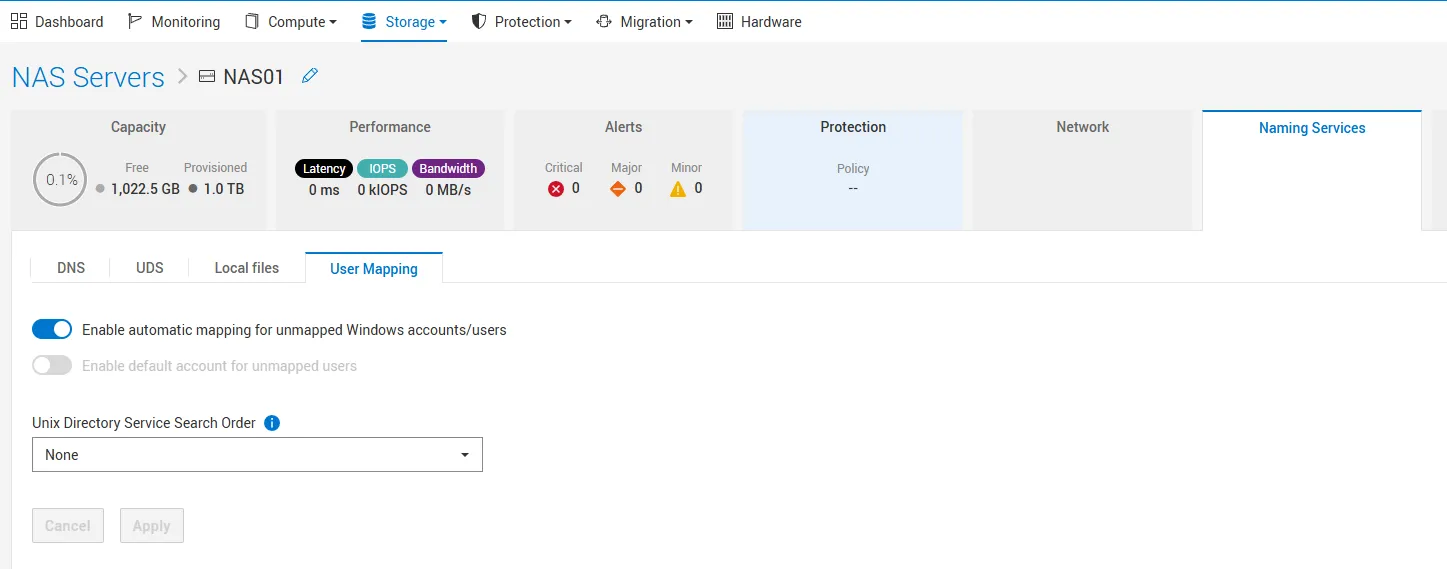
Section titled “Mapping”If you are running NFS, make sure you have enabled
Enable automatic mapping for unmapped Windows accounts/users
When automatic mapping is enabled, unmapped Windows users (users not explicitly mapped to UNIX identities) are automatically mapped to a default UNIX user (typically nobody or a custom one you define).
Checking All NAS Servers
Section titled “Checking All NAS Servers”svc_nas run nas_svc_nas ALL -list
Last login: Fri Feb 28 15:15:30 2025 from 10.20.8.96[SVC:service@4XZBTZ3-B user]$ svc_nas run nas_svc_nas ALL -list         NAS server ID                lid   type     state      nodes  SVDM_IP        Name 66d1d9b1-cc8f-214d-2191-f640a503ca57    3  user     CREATED      1 2  fdeb:9b7d:5928:0:201:4470:d467:ba1e NAS01 00000000-0000-0000-0200-000000000000    2  system   CREATED      1 -  fdeb:9b7d:5928:0:201:4470:d467:ba1e SVDM_A_Node1 00000000-0000-0000-0200-000000000000    2  system   CREATED      2 -  fdeb:9b7d:5928:0:201:4400:8591:deb2 SVDM_A_Node2 00000000-0000-0000-0100-000000000000    1  system   CREATED      2 -  fdeb:9b7d:5928:0:201:4400:8591:deb2 SVDM_B
 Total number of running NAS servers: 4
Run a Health Check Against a NAS Server
Section titled “Run a Health Check Against a NAS Server”svc_nas run nas_svc_nas NAS01 -checkup
Display a Specific NAS Server
Section titled “Display a Specific NAS Server”svc_nas run nas_svc_nas NAS01 -ds