Dell OS10 Load Balancing with LAG Config
View on GitHubLoad Balance Testing on 4112F-ON/OS10/Test Case 1
In this test case the goal is to create a simple load balancer using a reverse LAG port. The idea is to have one input port which is then mirrored to a logical LAG port and at the other end of the LAG port is a number of security sensors.
Helpful Links
Section titled “Helpful Links”ONIE Network Install Process Overview
My Configuration
Section titled “My Configuration”General Configuration
Section titled “General Configuration”- ONIE host is running RHEL 8
- I am using a Dell S4112F-ON for testing
- OS10 10.5.0.2
- PFSense running DNS and DHCP as services
RHEL Release Info
Section titled “RHEL Release Info”NAME="Red Hat Enterprise Linux"VERSION="8.0 (Ootpa)"ID="rhel"ID_LIKE="fedora"VERSION_ID="8.0"PLATFORM_ID="platform:el8"PRETTY_NAME="Red Hat Enterprise Linux 8.0 (Ootpa)"ANSI_COLOR="0;31"CPE_NAME="cpe:/o:redhat:enterprise_linux:8.0:GA"HOME_URL="https://www.redhat.com/"BUG_REPORT_URL="https://bugzilla.redhat.com/"
REDHAT_BUGZILLA_PRODUCT="Red Hat Enterprise Linux 8"REDHAT_BUGZILLA_PRODUCT_VERSION=8.0REDHAT_SUPPORT_PRODUCT="Red Hat Enterprise Linux"REDHAT_SUPPORT_PRODUCT_VERSION="8.0"Red Hat Enterprise Linux release 8.0 (Ootpa)Red Hat Enterprise Linux release 8.0 (Ootpa)OS 10 Version
Section titled “OS 10 Version”OS10# show versionDell EMC Networking OS10 EnterpriseCopyright (c) 1999-2019 by Dell Inc. All Rights Reserved.OS Version: 10.5.0.2Build Version: 10.5.0.2.468Build Time: 2019-10-19T00:29:00+0000System Type: S4112F-ONArchitecture: x86_64Up Time: 00:03:39Setup ONIE Prerequisites
Section titled “Setup ONIE Prerequisites”See ONIE Install Setup for instructions.
Configure Management Interface
Section titled “Configure Management Interface”See Configure Management Interface on Dell OS10
Configure Device for Reverse LAG
Section titled “Configure Device for Reverse LAG”Physical Configuration
Section titled “Physical Configuration”I used the following SFPs
- 1, 1Gb/s copper SFP (Ethernet 1/1/1) for input
- 2, 1Gb/s copper SFPs (Ethernet 1/1/5/Ethernet 1/1/9) and 1, 1Gb/s, fiber SFP (Ethernet 1/1/12) for output
I used the following optics:
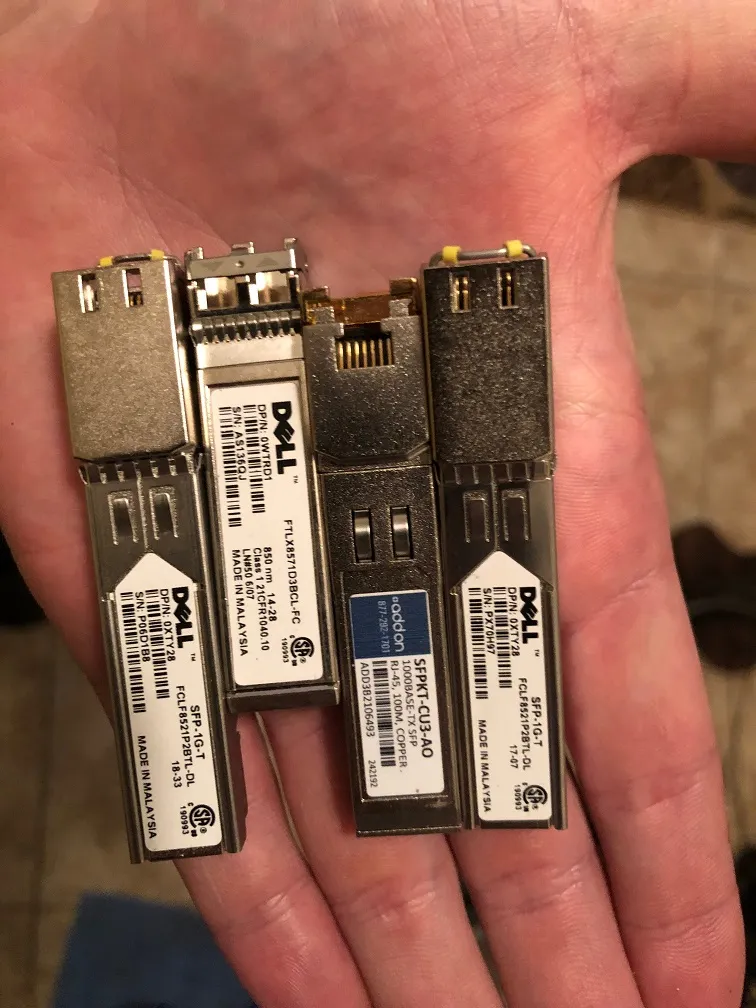
Input Port
Section titled “Input Port”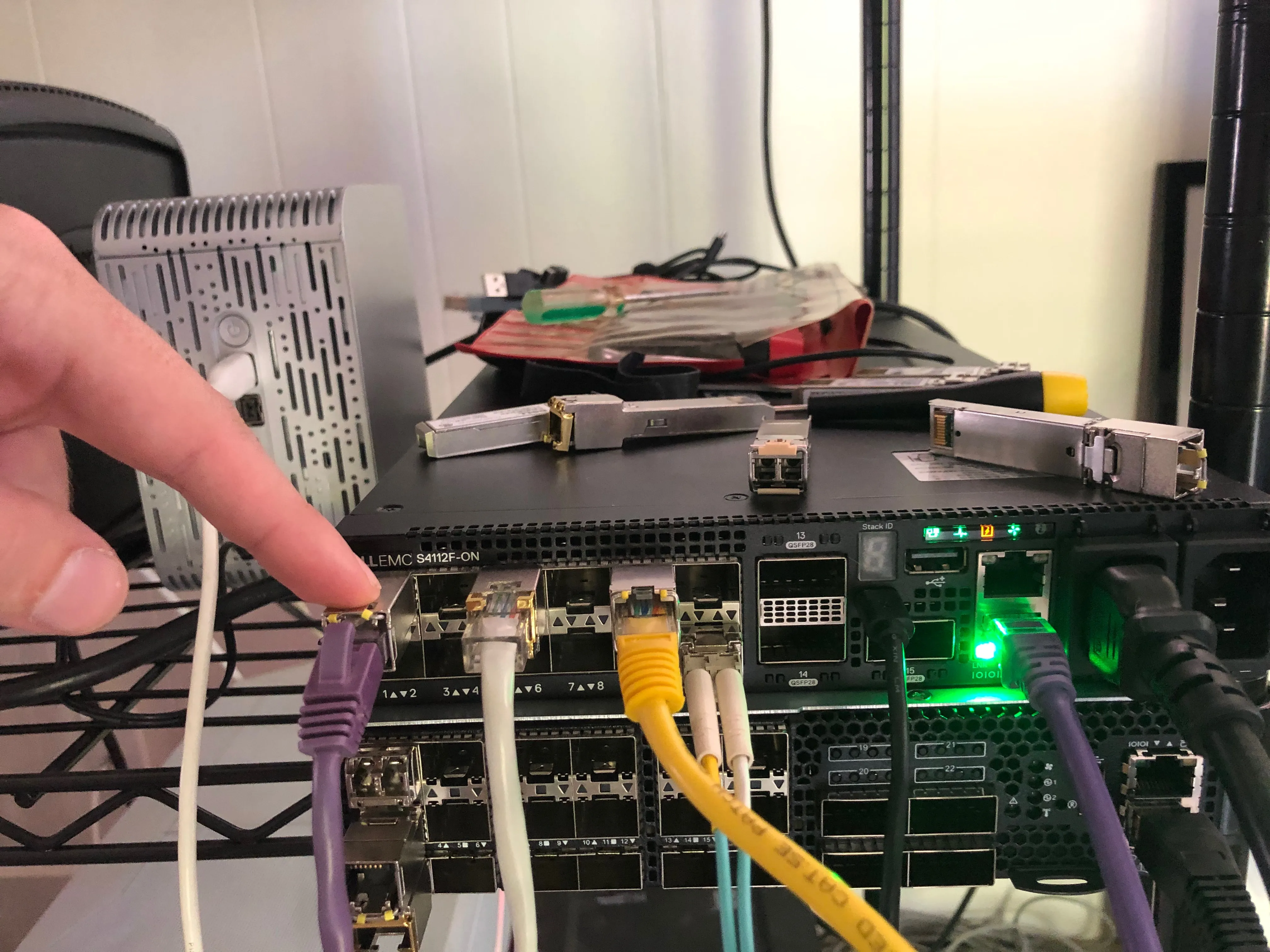
Output Ports
Section titled “Output Ports”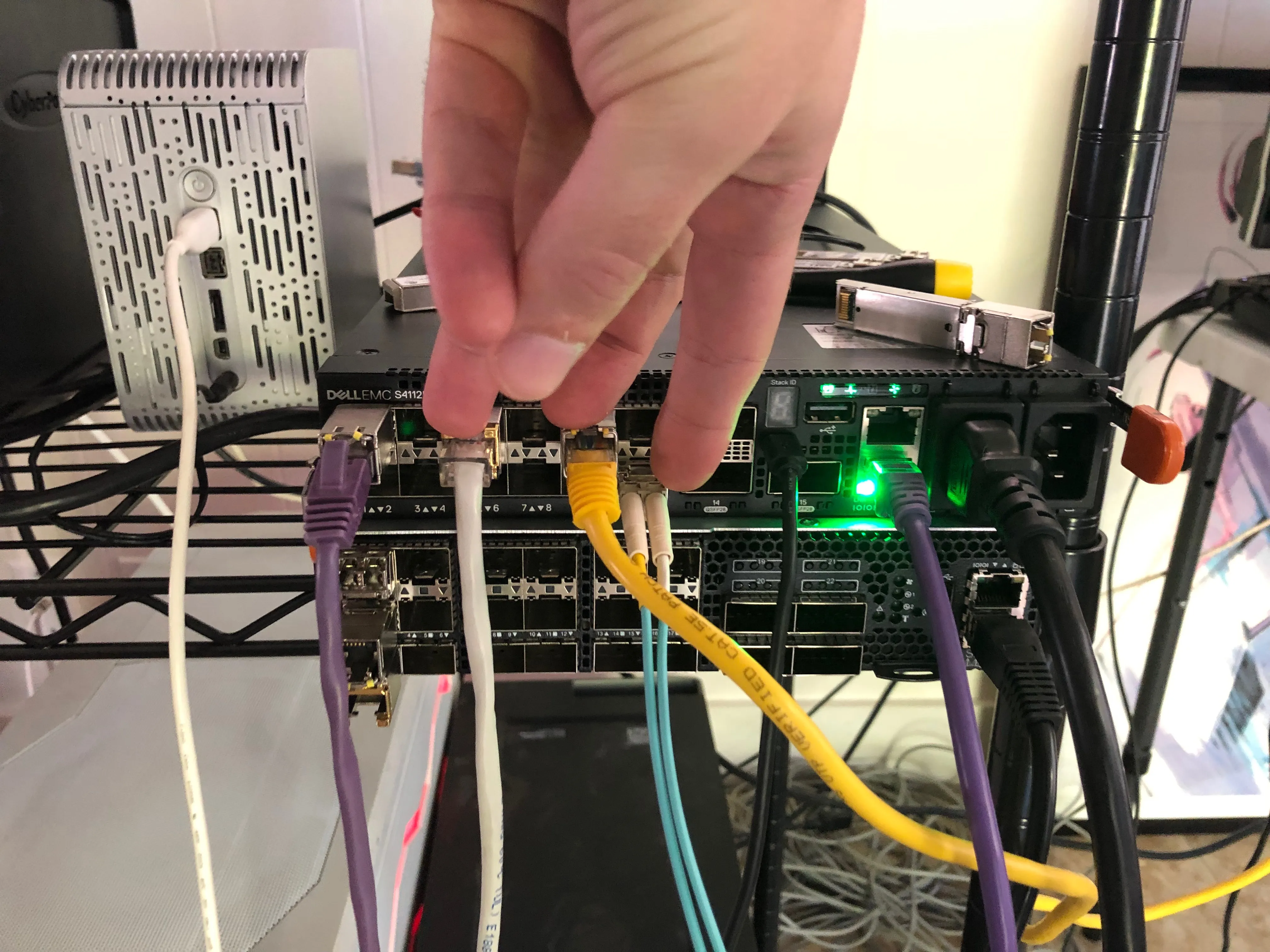
LAG Configuration
Section titled “LAG Configuration”Enable LAG Ports and Input Port
Section titled “Enable LAG Ports and Input Port”Verify All Interfaces are Running at the Same Speed
Section titled “Verify All Interfaces are Running at the Same Speed”All interfaces must be the same speed in a LAG. In my case, the fiber interface was running at 10Gb/s so I brought that down to 1Gb/s by doing the following:
OS10(config)# interface ethernet 1/1/12OS10(conf-if-eth1/1/12)# speed 1000OS10(conf-if-eth1/1/12)# <165>1 2019-10-28T19:10:22.616888+00:00 OS10 dn_alm 669 - - Node.1-Unit.1:PRI [event], Dell EMC (OS10) %IFM_OSTATE_DN: Interface operational state is down :ethernet1/1/12OS10(conf-if-eth1/1/12)#OS10(conf-if-eth1/1/12)# <165>1 2019-10-28T19:10:29.591467+00:00 OS10 dn_alm 669 - - Node.1-Unit.1:PRI [event], Dell EMC (OS10) %IFM_OSTATE_UP: Interface operational state is up :ethernet1/1/12Add Interfaces to the Port Channel Group
Section titled “Add Interfaces to the Port Channel Group”OS10(config)# interface port-channel 1OS10(conf-if-po-1)# exitOS10(config)# interface ethernet 1/1/5OS10(conf-if-eth1/1/5)# channel-group 1 mode on
OS10(conf-if-eth1/1/5)# <165>1 2019-10-28T19:17:33.746593+00:00 OS10 dn_alm 669 - - Node.1-Unit.1:PRI [event], Dell EMC (OS10) %IFM_OSTATE_UP: Interface operational state is up :port-channel1
OS10(conf-if-eth1/1/5)# exitOS10(config)# interface ethernet 1/1/9OS10(conf-if-eth1/1/9)# channel-group 1 mode onOS10(conf-if-eth1/1/9)# exitOS10(config)# interface ethernet 1/1/12OS10(conf-if-eth1/1/12)# channel-group 1 mode onConfigure the Port Channel Hash Algorithm
Section titled “Configure the Port Channel Hash Algorithm”We want to load balance on the standard network 5 tuple. You can configure this with
OS10(config)# load-balancing ip-selection destination-ip source-ip protocol l4-destination-port l4-source-portConfigure Mirror Port Session from Source to LAG Interface
Section titled “Configure Mirror Port Session from Source to LAG Interface”Next we need to send all the traffic from our “TAP” input interface to our port channel to be load balanced out to all of our listening devices.
OS10(config)# monitor session 1OS10(conf-mon-local-1)# source interface ethernet 1/1/1OS10(conf-mon-local-1)# destination interface port-channel 1OS10(conf-mon-local-1)# no shutFinal Configuration
Section titled “Final Configuration”OS10# show running-configuration! Version 10.5.0.2! Last configuration change at Oct 29 14:53:37 2019!ip vrf default!interface breakout 1/1/13 map 100g-1xinterface breakout 1/1/14 map 100g-1xinterface breakout 1/1/15 map 100g-1xiscsi enableiscsi target port 860iscsi target port 3260system-user linuxadmin password XXXXXusername admin password XXXXX role sysadmin priv-lvl 15aaa authentication login default localaaa authentication login console local!class-map type application class-iscsi!policy-map type application policy-iscsi!interface vlan1no shutdown!interface port-channel1no shutdownswitchport access vlan 1!interface mgmt1/1/1no shutdownno ip address dhcpip address 192.168.1.20/24ipv6 address autoconfig!interface ethernet1/1/1no shutdownswitchport access vlan 1flowcontrol receive on!interface ethernet1/1/2no shutdownswitchport access vlan 1flowcontrol receive on!interface ethernet1/1/3no shutdownswitchport access vlan 1flowcontrol receive on!interface ethernet1/1/4no shutdownswitchport access vlan 1flowcontrol receive on!interface ethernet1/1/5no shutdownchannel-group 1no switchportflowcontrol receive on!interface ethernet1/1/6no shutdownswitchport access vlan 1flowcontrol receive on!interface ethernet1/1/7no shutdownswitchport access vlan 1flowcontrol receive on!interface ethernet1/1/8no shutdownswitchport access vlan 1flowcontrol receive on!interface ethernet1/1/9no shutdownchannel-group 1no switchportflowcontrol receive on!interface ethernet1/1/10no shutdownswitchport access vlan 1flowcontrol receive on!interface ethernet1/1/11no shutdownno switchportflowcontrol receive on!interface ethernet1/1/12no shutdownchannel-group 1no switchportspeed 1000flowcontrol receive on!interface ethernet1/1/13no shutdownswitchport access vlan 1flowcontrol receive on!interface ethernet1/1/14no shutdownswitchport access vlan 1flowcontrol receive on!interface ethernet1/1/15no shutdownswitchport access vlan 1flowcontrol receive on!monitor session 1destination interface port-channel1source interface ethernet1/1/1no shut!snmp-server contact "Contact Support"!telemetryFindings
Section titled “Findings”The reverse LAG strategy will load balance traffic, but there is a critical problem. The hash algorithm is sensitive to the order of the fields. This means that in a standard TCP conversation as the IP/TCP/UDP source and destinations reverse for inbound and outbound traffic they will always go to different hosts on a five tuple hash. For example, see the below:
Host 1
Section titled “Host 1”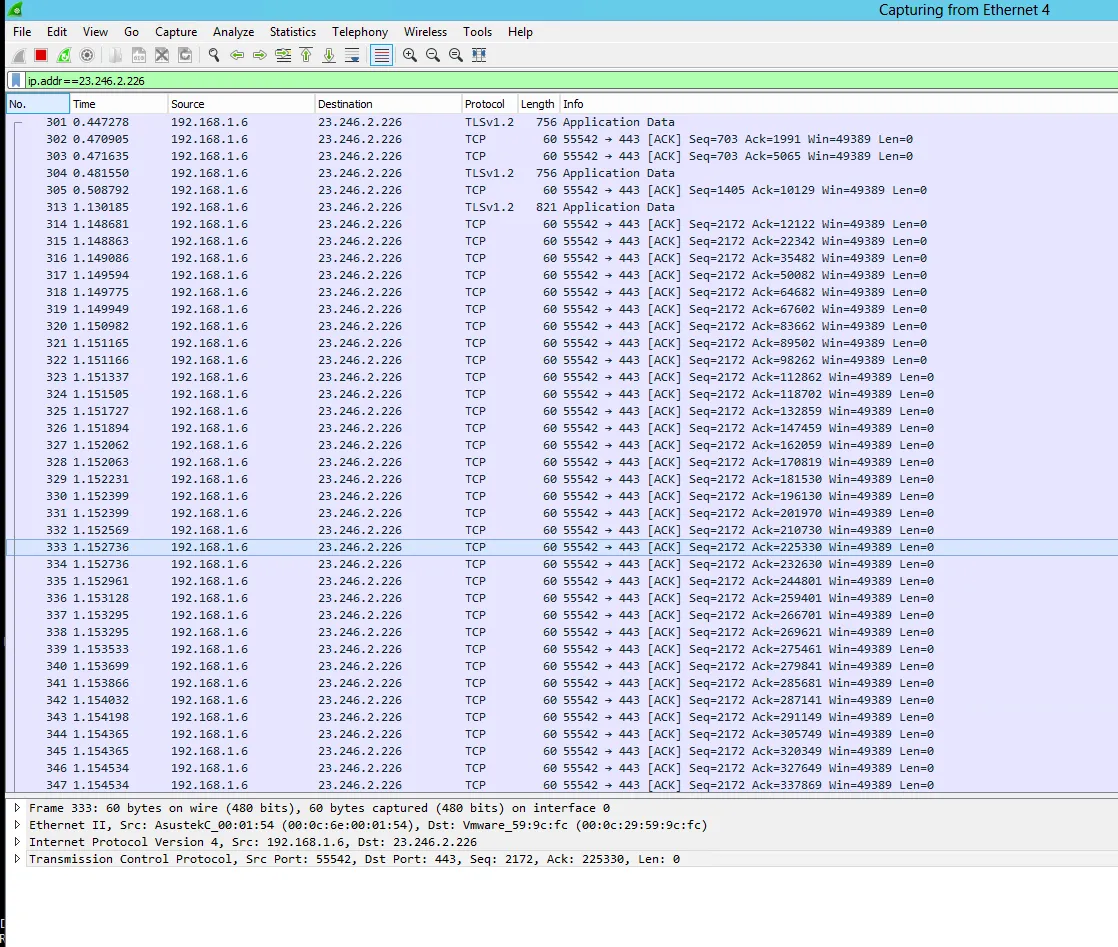
Host 2
Section titled “Host 2”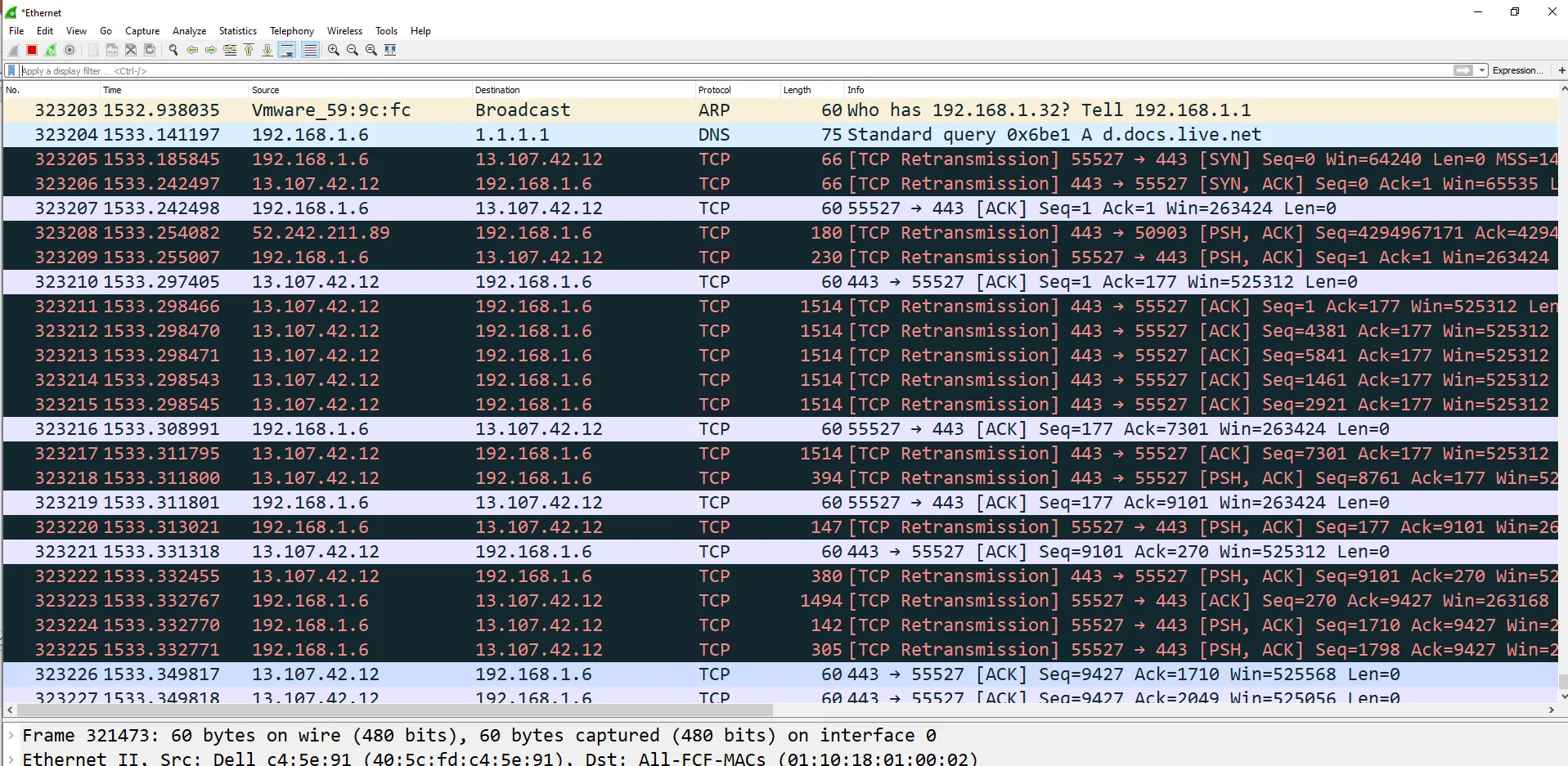
Host 3
Section titled “Host 3”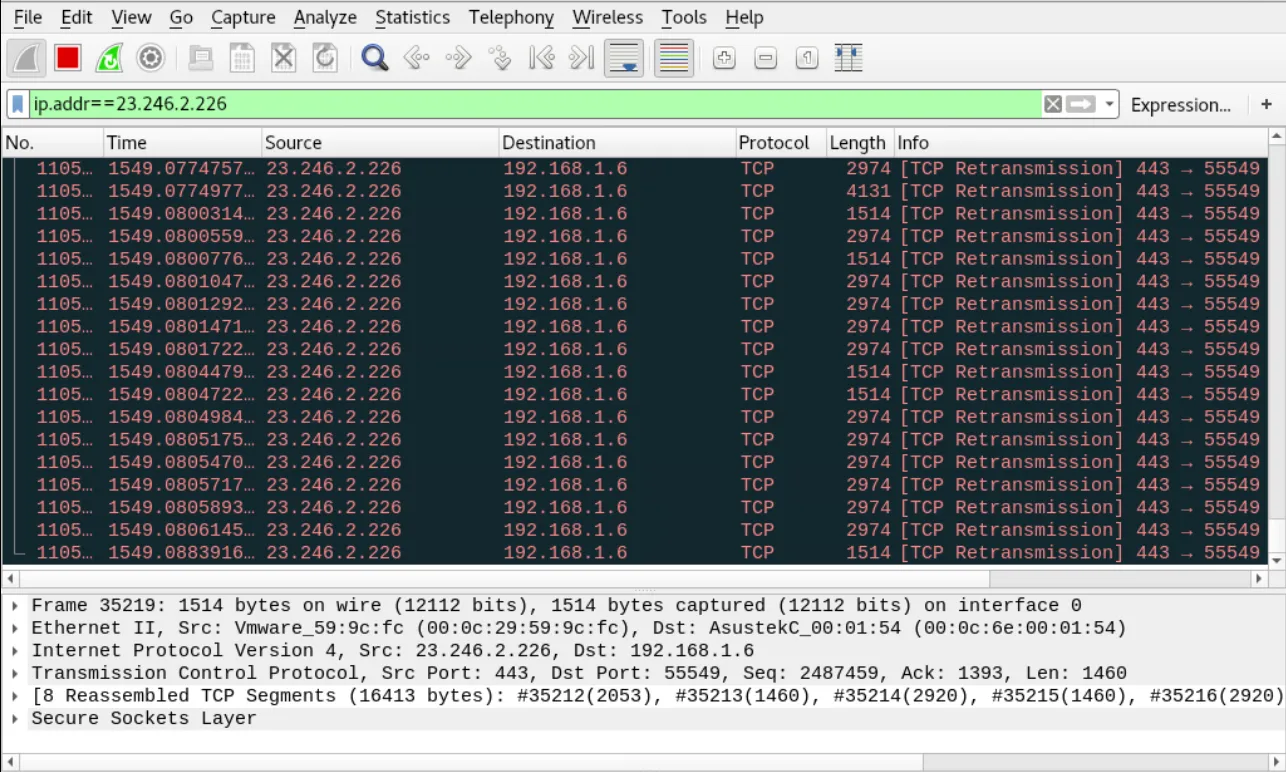
If you look at host 1 and host 3 you can see that both sides of the traffic consistently landed on different sessions. Without modifying the guts of how the algorithm itself is implemented, there isn’t a way to fix this. IE: The idea isn’t going to work.
The reason for this is that security sensors like Bro and Suricata require the complete conversation be sent to a single instance. That is to say, a single instance of Bro or Suricata must see the entire conversation. The configuration above will cause an instance to see only one side of any given conversation.
Other Notes
Section titled “Other Notes”The default VLAN on our OS10 switch is VLAN 1 and is untagged. The default configuration of a port is Switchport access vlan 1 on all ports (factory default) All ports will show in vlan 1, and vlan 1 will be labeled as the default vlan using command “sho vlan”
If you change the default vlan using the command “default vlan-id” it will change the switchport access vlan on all interfaces that were in the default vlan to the new specified default vlan.
default vlan-id 3all vlan 1 ports get changed to vlan 3 ports automatically (vlan 3 is the new default vlan), and the interfaces will sho Switchport access vlan 3
If you want any port to be in a different untagged vlan other the default vlan, you must change it via the command “switchport access vlan
On a trunk port, the default vlan is the native vlan. If you want to change the native vlan on trunk port, then you use the command “switchport access vlan
So in my example I sent earlier The default vlan is vlan 1 on all ports except the trunk port. sho run will sho Switchport access vlan 1 on all interfaces except the trunk port because I changed it. I specified vlan 2 as the native vlan for the trunk port only.
Untagged VLAN ==> switchport access vlan 2 Tagged VLAN ==> switchport trunk allowed vlan 1612-1615,3939
Example:
interface ethernet1/1/17description Node1_Port1switchport mode trunkswitchport access vlan 2switchport trunk allowed vlan 1612-1615,3939spanning-tree port type edgeno shutdown