Notes on AMD Processor
View on GitHubNotes on AMD Processor
- Notes on AMD Processor
Pictures of Physical Package
Section titled “Pictures of Physical Package”Notes from Processor Programming Reference
Section titled “Notes from Processor Programming Reference”See here for source.
I/O Diagram
Section titled “I/O Diagram”One Socket I/O
Section titled “One Socket I/O”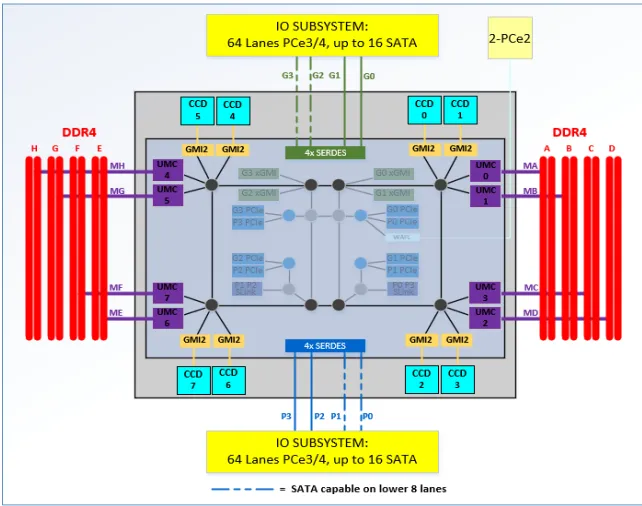
Two Socket I/O with 4 XGMI Links
Section titled “Two Socket I/O with 4 XGMI Links”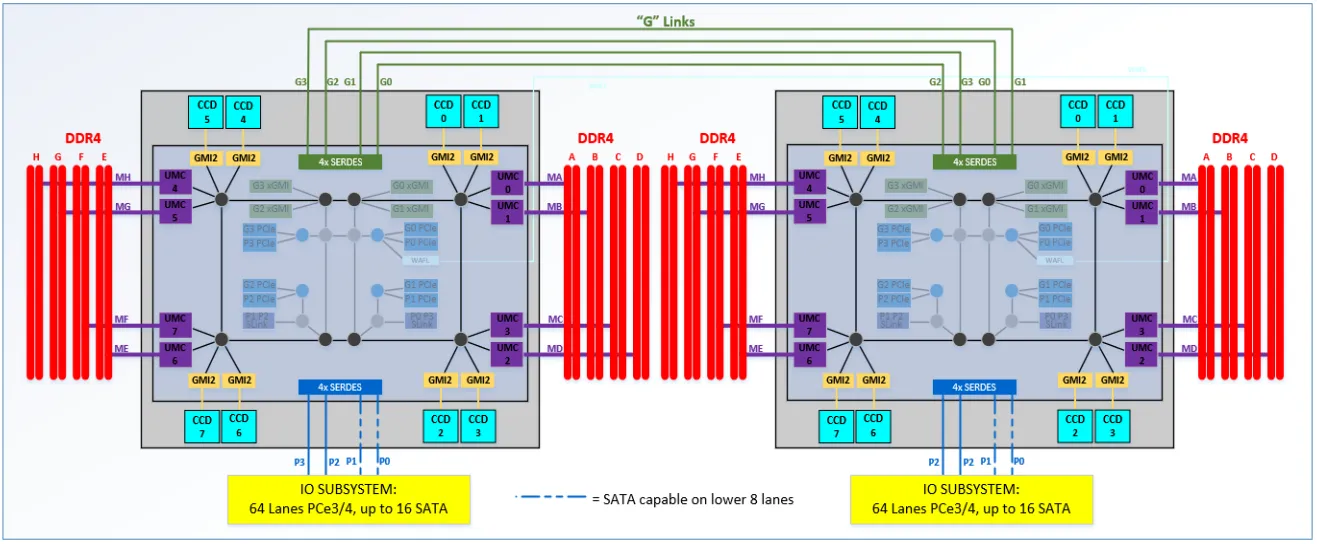
Two Socket I/O with 3 XGMI Links
Section titled “Two Socket I/O with 3 XGMI Links”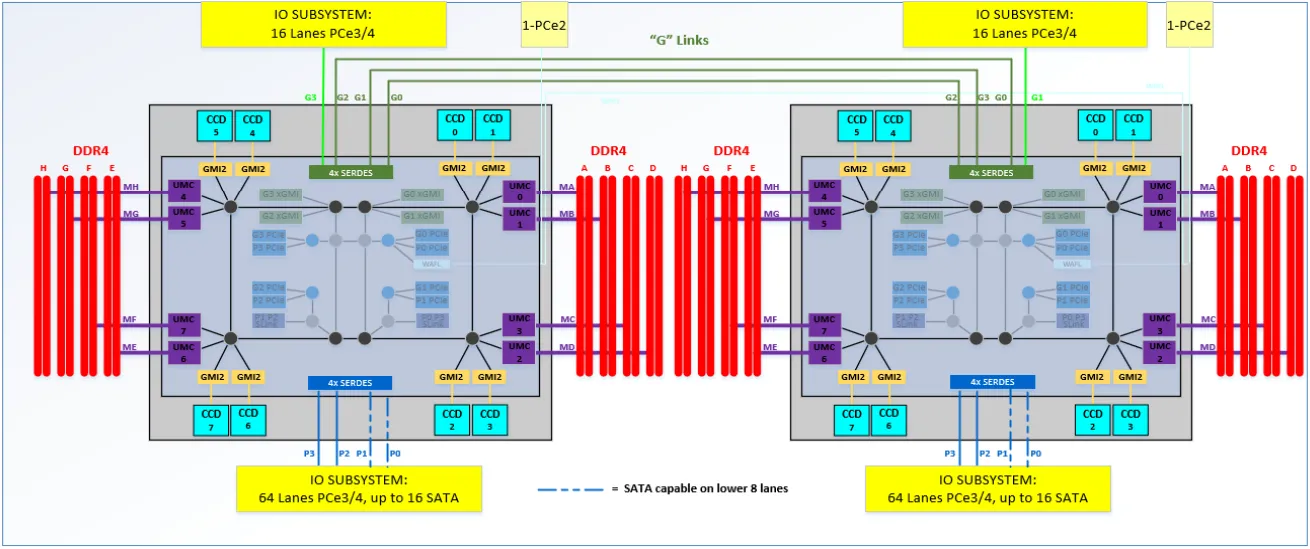
Core Complex (CCX) Diagram
Section titled “Core Complex (CCX) Diagram”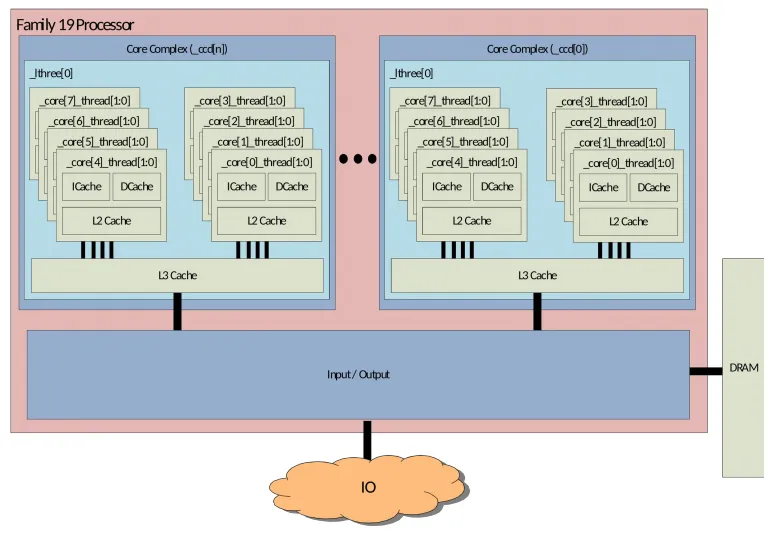
How is the iDRAC connected?
Section titled “How is the iDRAC connected?”See page 30
Each IOD (I/O die) has:
Four instances of NorthBridge IO (NBIO), each of which includes:
- Two 8x16 PCIe® Gen4 controllers.
- One instance includes a 2x2 PCIe® Gen 2 controller, which can be used to attach a Baseband Management Controller (BMC)
Measuring Performance - Effective Frequency
Section titled “Measuring Performance - Effective Frequency”When using something like iDRAC telemetry it can poll the effective frequency via the effective frequency interface.
The effective frequency interface allows software to discern the average, or effective, frequency of a given core over a configurable window of time. This provides software a measure of actual performance rather than forcing software to assume the current frequency of the core is the frequency of the last P-state requested
System Management Unit
Section titled “System Management Unit”There is a system management unit for each proc integrated onto the I/O die.
How to Change Processor Settings
Section titled “How to Change Processor Settings”There are three ways to change settings on the processor:
- AMD Host System Management Port (HSMP)
- Epyc System Management Interface (E-SMI) Library
- Technically, this rides on top of the HSMP but it is a separate userspace library
- Run Commands Directly on the Processor
Run Commands on the Processor
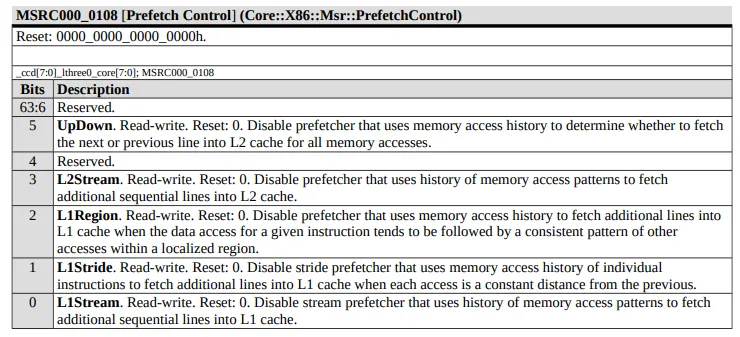
Section titled “Run Commands on the Processor”Let’s say you want to disable the L2 Stream HW Prefetcher.
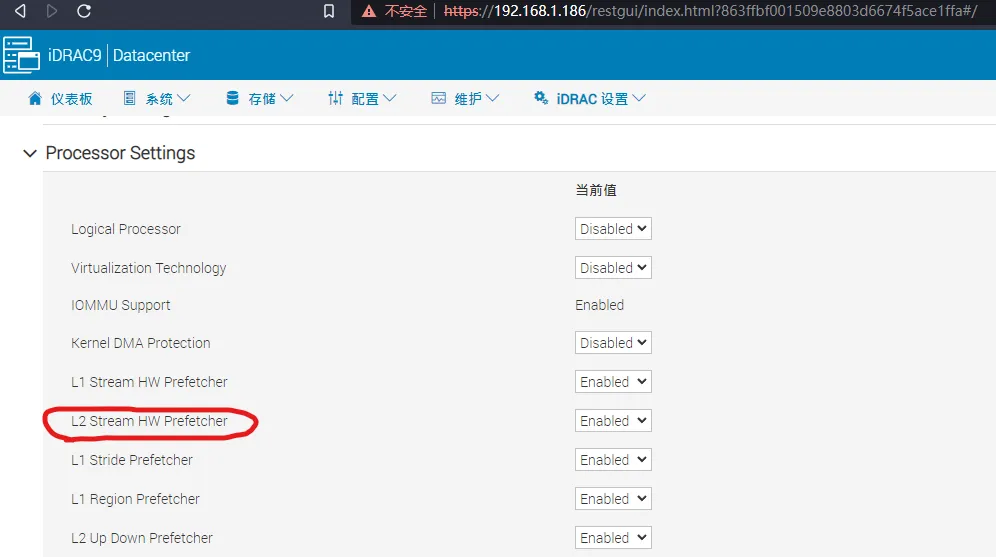
This can be accomplished with the write MSR (Model Specific Register) Command. Model Specific Registers (MSRs) are:
any of various control registers in the x86 instruction set used for debugging, program execution tracing, computer performance monitoring, and toggling certain CPU features.
There is a good lecture available on the subject available here.
If you want to control prefetch you would select the appropriate register and then bitmask 1 to bit 3 as described here: