Switch Directly to Client Test
View on GitHubSwitch Directly to Client Test
The purpose of this test is to see if a 10Gb/s switch with a 10Gb/s SFP will autonegotiate when plugged directly to a client.
OS 10 Version
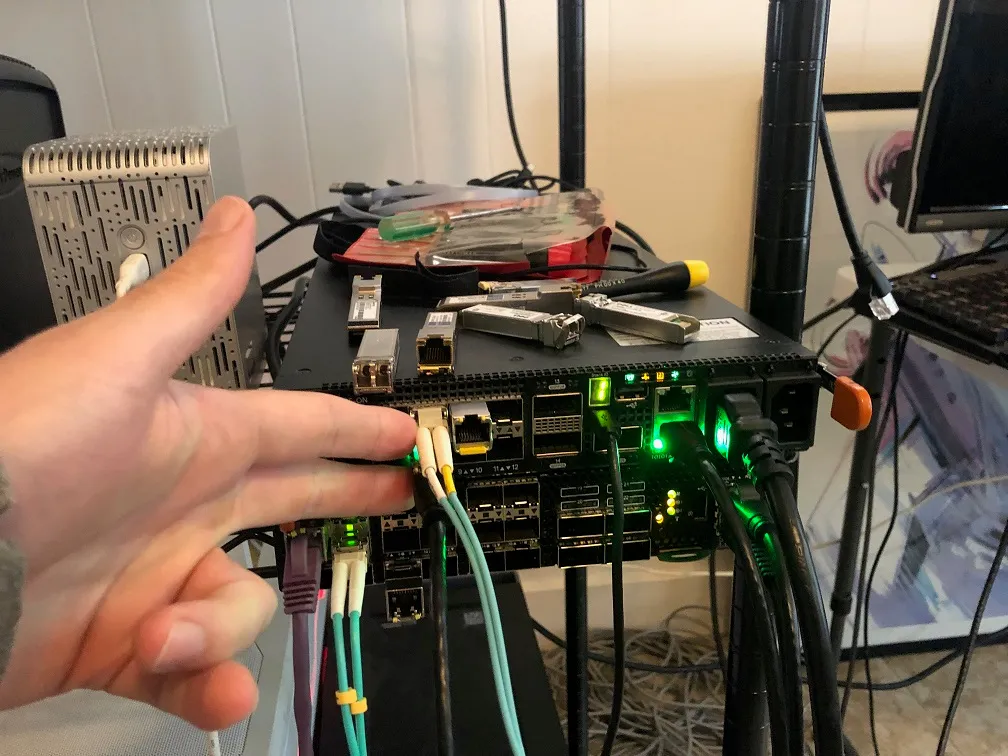
Section titled “OS 10 Version”OS10# show versionDell EMC Networking OS10 EnterpriseCopyright (c) 1999-2019 by Dell Inc. All Rights Reserved.OS Version: 10.5.0.2Build Version: 10.5.0.2.468Build Time: 2019-10-19T00:29:00+0000System Type: S4112F-ONArchitecture: x86_64Up Time: 00:03:39I first plugged a Dell Precision 7730 with Intel I219-LM network card into Ethernet 1/1/8.
I later plugged in an ESXi instance with an Intel x710 to Ethernet 1/1/7.
SFP Used
Section titled “SFP Used”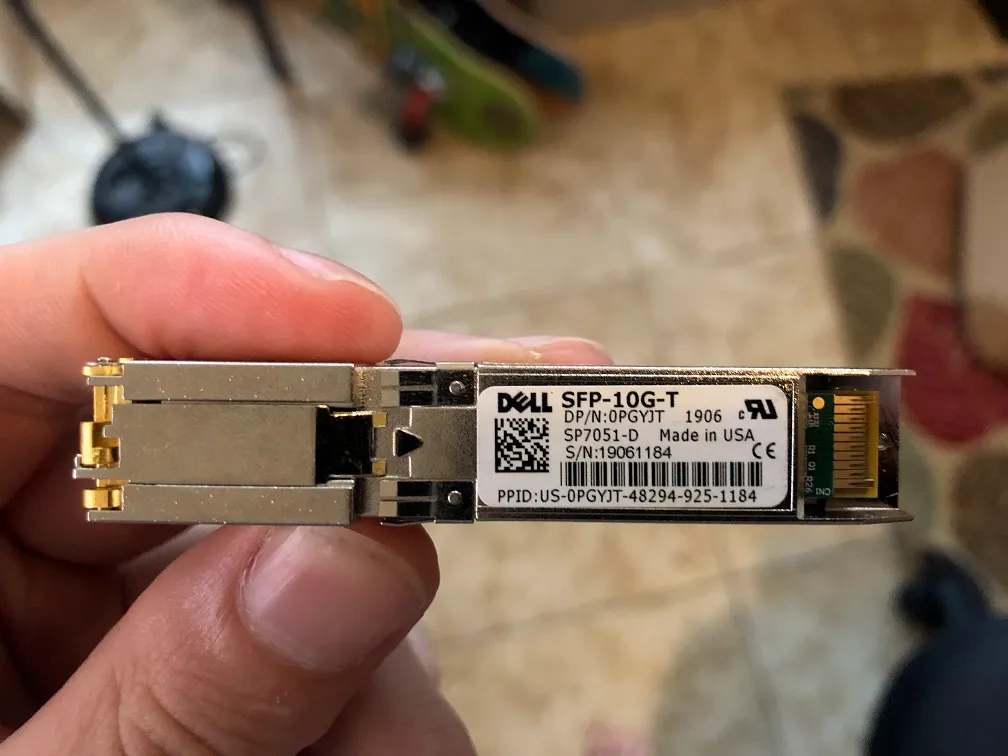
Results
Section titled “Results”I had to set the interface speed for it to pick up, but once the interface speed was set it worked.
OS10# show ip interface briefInterface Name IP-Address OK Method Status Protocol=========================================================================================Ethernet 1/1/1 unassigned NO unset up downEthernet 1/1/2 unassigned NO unset up downEthernet 1/1/3 unassigned NO unset up downEthernet 1/1/4 unassigned NO unset up downEthernet 1/1/5 unassigned NO unset up downEthernet 1/1/6 unassigned NO unset up downEthernet 1/1/7 unassigned NO unset up downEthernet 1/1/8 unassigned NO unset up downEthernet 1/1/9 unassigned NO unset up downEthernet 1/1/10 unassigned NO unset up downEthernet 1/1/11 unassigned NO unset up downEthernet 1/1/12 unassigned NO unset up downEthernet 1/1/13 unassigned NO unset up downEthernet 1/1/14 unassigned NO unset up downEthernet 1/1/15 unassigned NO unset up downManagement 1/1/1 192.168.1.20/24 YES manual up upVlan 1 unassigned NO unset up downPort-channel 1 unassigned NO unset up downOS10# configure terminalOS10(config)# interface ethernet 1/1/8OS10(conf-if-eth1/1/8)# speed 101000 10000OS10(conf-if-eth1/1/8)# speed 1000OS10(conf-if-eth1/1/8)# show ip interface briefInterface Name IP-Address OK Method Status Protocol=========================================================================================Ethernet 1/1/1 unassigned NO unset up downEthernet 1/1/2 unassigned NO unset up downEthernet 1/1/3 unassigned NO unset up downEthernet 1/1/4 unassigned NO unset up downEthernet 1/1/5 unassigned NO unset up downEthernet 1/1/6 unassigned NO unset up downEthernet 1/1/7 unassigned NO unset up downEthernet 1/1/8 unassigned YES unset up upEthernet 1/1/9 unassigned NO unset up downEthernet 1/1/10 unassigned NO unset up downEthernet 1/1/11 unassigned NO unset up downEthernet 1/1/12 unassigned NO unset up downEthernet 1/1/13 unassigned NO unset up downEthernet 1/1/14 unassigned NO unset up downEthernet 1/1/15 unassigned NO unset up downManagement 1/1/1 192.168.1.20/24 YES manual up upVlan 1 unassigned YES unset up upPort-channel 1 unassigned NO unset up downOn the client side the network showed Unidentified both before and after the change in the speed configuration.
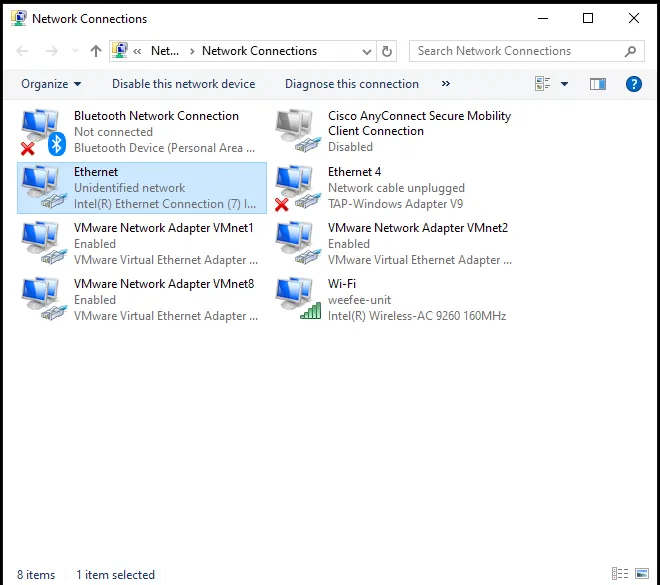
After I brought the interface up I connect Ethernet 1/1/7 to the Intel x710 with ESXi hosting the card. I connected it to a RHEL 8 VM and confirmed ping worked between the 7730 and the ESXi instance.
[root@rhel8 ~]# ping 10.0.0.1PING 10.0.0.1 (10.0.0.1) 56(84) bytes of data.64 bytes from 10.0.0.1: icmp_seq=1 ttl=128 time=0.953 ms64 bytes from 10.0.0.1: icmp_seq=2 ttl=128 time=0.775 ms64 bytes from 10.0.0.1: icmp_seq=3 ttl=128 time=0.571 ms64 bytes from 10.0.0.1: icmp_seq=4 ttl=128 time=0.613 ms^C--- 10.0.0.1 ping statistics ---4 packets transmitted, 4 received, 0% packet loss, time 114msrtt min/avg/max/mdev = 0.571/0.728/0.953/0.150 ms